 8 min read
Most WordPress sites don’t fail overnight. There’s no single moment where everything breaks. Instead, they accumulate problems quietly — one skipped update, one extra plugin, one shortcut taken because the deadline was close and the budget was tight. And for a while, none of it matters. Then the business grows. Traffic increases. Someone wants to add a new feature, run a campaign, or hand the site off to a marketing manager. And suddenly the site that “technically worked” starts revealing what it’s actually made of.
I’ve inherited a lot of those sites as a WordPress developer. This is what I’ve learned about why they end up that way — and what the warning signs look like before things get expensive.
The Site that Technically Works is Often the Most Dangerous One. It looks fine from the outside, but the problems are underneath.
Most business owners don’t think carefully about their first website. They think about their product, their service, their customers. The website is something that needs to exist - a box to check before launch. So it gets built fast, built cheap, or handed off to someone who “knows WordPress” without much thought about what that actually means.
That’s not a criticism, it’s actually a reasonable decision at the time. When you’re pre-revenue or early-stage, a $3,000 custom build doesn’t always make sense. A theme from a WordPress themes marketplace (like Themeforest or Envato) and a few hours in a page builder gets you online. That’s a legitimate trade-off.
The problem isn’t the decision. The problem is that the decision never gets revisited. The business scales. The WordPress CMS doesn’t get the same attention. And by the time anyone notices, there’s three years of shortcuts baked into the foundation.
The Plugin Problem
When I open up a site I’ve inherited and see 40-plus active WordPress plugins, I know what I’m dealing with before I’ve looked at anything else. Not because plugins are inherently bad (they’re not), but because 40 plugins is almost never the right answer. It’s a symptom.
What it usually means: the theme couldn’t do something natively, so someone installed a plugin. That plugin created a conflict, so someone installed another plugin to fix the conflict. That one slowed the site down, so someone installed a caching plugin (something like WP Rocket) to compensate. Th caching plugin broke the contact form, so someone installed a different contact form plugin. And so on.
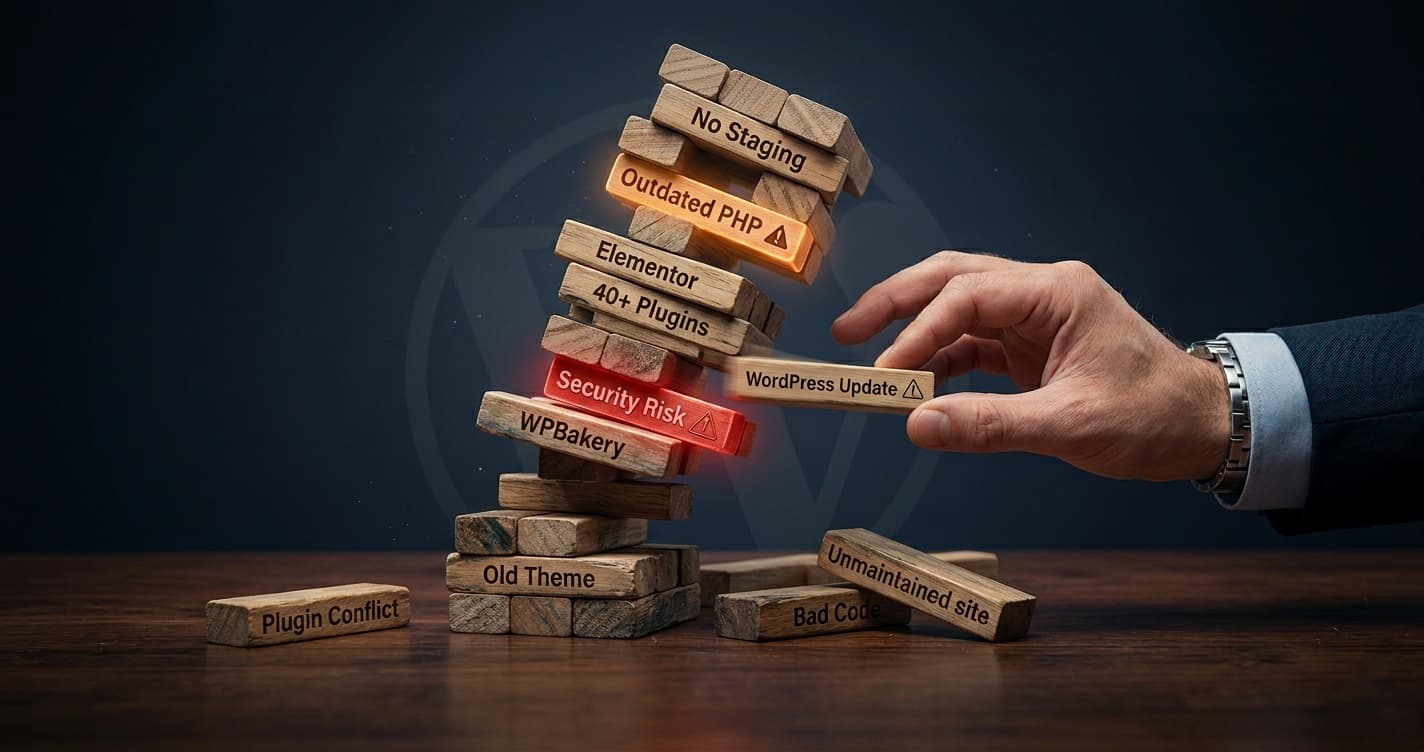
Each plugin made sense in isolation. Together, they’ve turned the site into a Jenga tower. You can’t touch one piece without worrying about the rest.
What I Find Most Often
WordPress plugins doing jobs that should be a snippet in the theme’s functions.php file. A redirect manager plugin when three lines of code would do the same thing. A custom CSS plugin when there’s already a child theme. Multiple SEO plugins (Such as Yoast SEO, Rank Math, All in One SEO, etc.) installed by different people over the years, all running simultaneously.
What it Costs You
Every plugin is a potential attack surface, a performance drain, and a conflict waiting to happen. The more you have, the more fragile the system becomes — and the harder it is for any WordPress website developer who comes in later to understand what’s actually going on with the site.
Page builders and the debt they leave behind
I’m going to be direct about this: WP Bakery and Elementor have built a lot of WordPress websites, and most of them are carrying more weight than they need to. Page builders exist to make design accessible to non-developers, which is a legitimate reason to use them. But the trade-off is that they generate bloated, nested code that’s very difficult to maintain or modify cleanly. When a page builder builds a layout, it injects its own shortcodes and markup throughout your content. That content is then dependent on the page builder being installed and up to date.
Deactivate the plugin, and your pages can break. Update it carelessly, and the same thing can happen. More practically: when a WordPress developer inherits a page builder site, they’re not working with clean HTML and CSS. They’re working with layers of abstracted markup generated by a tool that may have been configured differently by three separate people. Making a layout change that should take an hour can take a day.
A page builder makes the first build faster, but it makes every build after that slower. This doesn’t mean every page builder site is a disaster. It means the costs are real and most people don’t account for them until they’re already paying them.
The Staging Environment Nobody Set Up
Of all the decisions that cause long-term damage to a WordPress site, skipping a staging environment is the one I see most consistently — and the one that creates the most unnecessary risk. A staging environment is a private copy of your live site where updates and changes are tested before they go live. It’s standard practice for any WordPress developer working on a site where downtime matters. It’s also skipped constantly, because setting it up takes time and “nothing has gone wrong yet.”
What “nothing has gone wrong yet” actually means is that you’ve been lucky. Every untested update to a live site is a gamble. Most of the time you win. Eventually you don’t — and when that happens on a site generating real revenue, the cost of the gamble becomes very clear very fast.
What Goes Wrong Without Staging
A plugin update breaks the checkout flow. A theme update wipes custom CSS. A PHP version change conflicts with a plugin and takes the site down. All of these are real scenarios. All of them are significantly less likely with a staging environment in place.
Why Founders Skip It
It feels like overhead when the site is small. The developer who built the site didn’t mention it. Or it was mentioned, and it felt like an upsell. It’s usually one of those three.
What These Issues Look Like in Practice
The clearest example I can give you is a B2B company’s WooCommerce site I took over not long ago. WooCommerce is one of the most powerful ecommerce tools built on WordPress, and one of the most commonly misconfigured.
The site had been built in WPBakery. In itself, that wasn’t the problem. The problem was everything that had accumulated on top of it. The first thing I noticed: no security measures of any kind. The site was getting hammered by spam and trackback attacks. There was no firewall, no protection against brute force login attempts, and user registration was open to bots The spam alone was affecting performance.
Second thing: 40-plus WordPress plugins, many of them redundant or doing jobs that should have been in the theme’s functions.php file instead. There were plugins that existed solely to fix problems caused by other plugins.
Third thing: the UI had no clear direction. No visual hierarchy, no consistent type system, no considered structure. It looked like a site that had been added to by different people over time, each one working in isolation, nobody responsible for the whole.
The right move wasn’t to patch it. I explained that to the client as their WooCommerce developer — walked through what I found, what each problem was costing them, and what a cleanup versus a rebuild would actually involve. They’d been worried the site was fragile for a while. Having someone put language to it was, in their words, a relief.
We rebuilt it. Started with security — Wordfence, WP Armour, disabled user registration, comments, and trackbacks. Cut the plugin count by more than half. Then rebuilt the front end with a proper type system (Montserrat and Poppins, applied consistently), a clear visual hierarchy, and SEO-structured service and industry pages. The result was a site that looked like an intentional business decision, not an afterthought.
How to Know if Your WordPress Website is Aging Poorly
You don’t need a WordPress developer to run an audit before you can spot the warning signs. Here’s what to look for:
⚠️ Updates Feel Risky
If you or your team hesitates before updating WordPress plugins or WordPress core because “something might break,” that hesitation is telling you something. Healthy sites don’t feel fragile to update.
⚠️ You’ve Lost Track of What’s Doing What
If you can’t explain what each active plugin does and why it’s there, your site has drifted. Every unexplanable plugin is a liability.
⚠️ Making Changes Requires a Specialist Every Time
Small copy updates, layout tweaks, new pages — these shouldn’t require a web developer if your site was built well. If they do, the architecture is working against you.
⚠️ Nobody Knows Who Built What
If the site has had three developers over four years and none of them documented anything, there’s no telling what’s intentional and what’s a workaround. That ambiguity compounds over time.
⚠️ The Site is Slow and Nobody Knows Why
Performance issues are almost always symptoms of underlying problems. Unoptimized images, too many WordPress plugins, render-blocking scripts — these things accumulate alongside everything else.
The Cost of Waiting
Technical debt doesn’t announce itself. It accrues quietly and then surfaces at the worst possible moment — during a product launch, a traffic spike, a rebrand, or a handoff to a new team member. The sites that age well aren’t necessarily built with more money. They’re built with better decisions about what to trade off and what not to. A clean foundation with fewer WordPress plugins, a child theme set up properly, a staging environment in place — none of these are expensive. They just require someone who knows to ask for them.
If your WordPress CMS has been running for two or more years and nobody’s done a proper review, it’s worth knowing what’s going on under the hood. Not because something is definitely wrong, but because the cost of finding out is much lower than the cost of finding out the hard way.